
Assigning Tasks
Create and manage tasks to keep work organized and on schedule.
Table of Contents
Overview
Tasks help teams organize follow-ups, assign responsibilities, and track day-to-day work within Knockio. Whether it's following up with a customer, preparing documentation, or completing an internal activity, Tasks ensure work is assigned, scheduled, and managed from a central location.
This article explains how to create, manage, and organize tasks within your workspace.
Accessing the Tasks Module
To create or manage tasks:
Select Tasks from the left-hand navigation menu.
The Tasks module displays all tasks within the workspace, along with their current statuses.
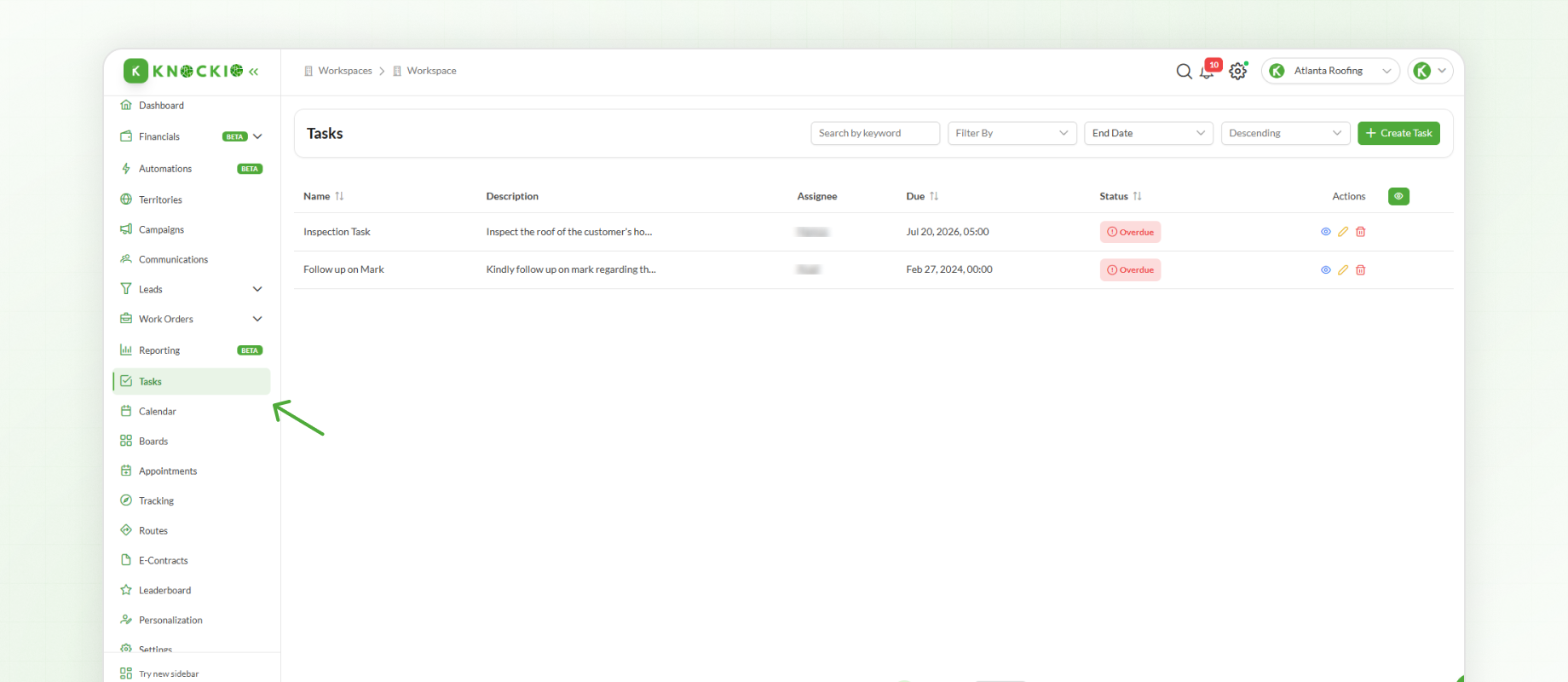
Existing tasks can be opened to review or update their details, deleted if they are no longer required, or new tasks can be created as needed.
Creating a Task
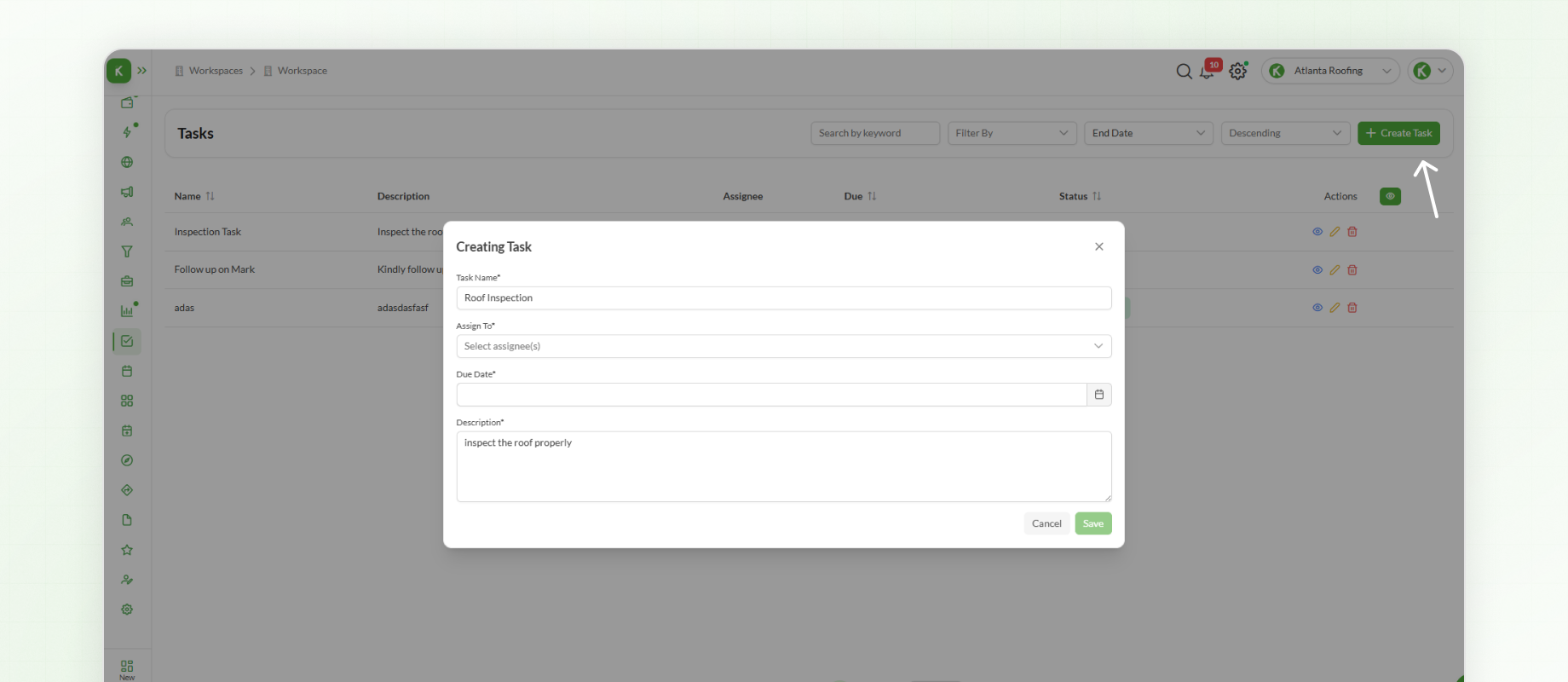
To create a new task:
Click Create Task.
Enter a Task Name.
Select the Assignee responsible for completing the task.
Choose a Due Date, if applicable.
Add a Description containing any relevant instructions or additional information.
Click Save.
The task will now appear in the task list and can be managed throughout its lifecycle.
Managing & Filtering Tasks
As the number of tasks grows, Knockio provides several options for locating and organizing tasks efficiently.
Tasks can be:
Filtered by Date.
Searched using Keywords.
Organized using the available Sorting options.
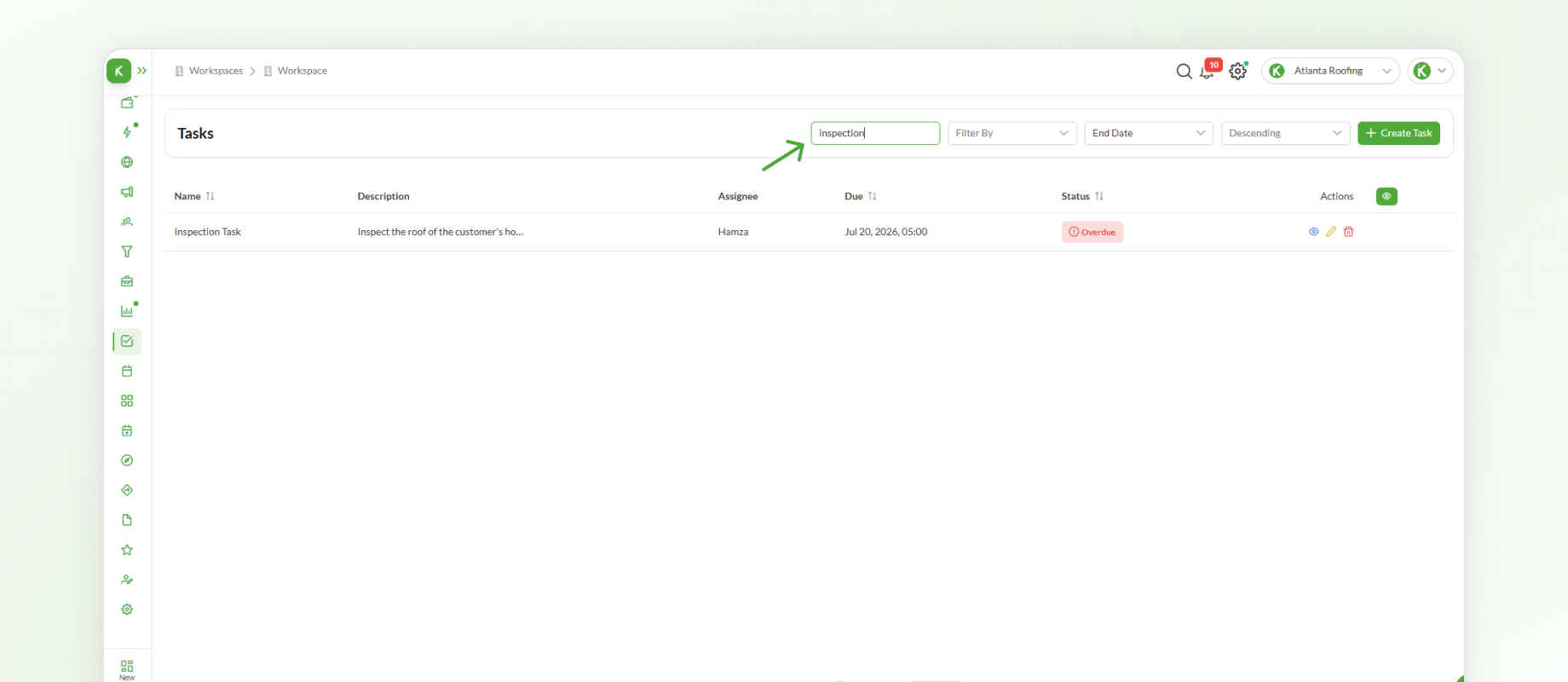
These tools make it easier to locate specific tasks, monitor upcoming deadlines, and manage daily activities across the workspace.
Next Steps
After learning how to manage tasks, the next step is using Appointments to schedule meetings, site visits, inspections, and follow-ups. The Appointments module helps teams organize their schedules while ensuring availability and coordination across multiple users.