
Knockio Just Got Sharper: Smarter Automations, Custom Forms, and More
Explore the latest Knockio web updates, including new add-ons and improved features.
Table of Contents
- Overview
- Automations, Now in the Add ons Section
- Form Builder: Capture Customer Inquiries Your Way
- Find Leads by Their Source
- Read Weather Information More Clearly on the Map
- Turn Your Business Connections into Knockio Referrals
- Identify Your Workspace Role at a Glance
- Give Customers a Cleaner E Contract Experience
- Review Team Schedules by Role
- Make More of Your Knockio Workflow
Overview
Your next customer could come through a website form, a field sales visit, or a referral. What happens next depends on how well your business collects information, follows up, and keeps work organized. The latest Knockio release brings new ways to manage these activities, with custom forms, more flexible automations, and improvements across lead management and team scheduling.
Whether you manage a growing field service company or a door to door sales operation, these updates give you more options for working with leads and coordinating your team. Here is what is new and how you can put it to use.
Automations, Now in the Add ons Section
Following up with prospects and managing recurring tasks can become harder as your business takes on more customers. Knockio Automations give you a way to handle repetitive workflows without manually managing every step.
Automations are now available through the Add ons section. You can continue using them on the free plan within the included usage limit. Once you reach that limit, an active Automations add on subscription is required to continue using the feature.
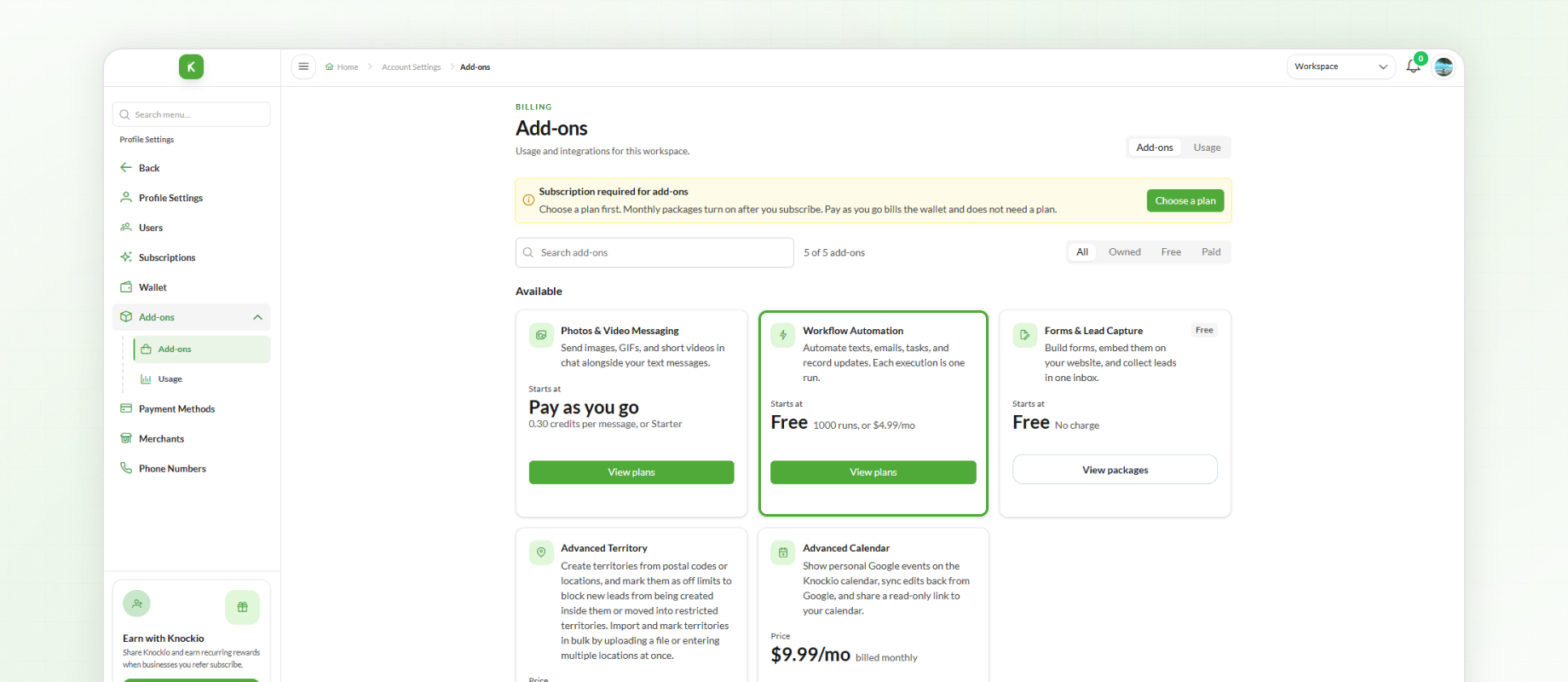
For instance, a plumbing company could use configured automations to support its follow up process after receiving new service inquiries. Sales teams can also use automation for recurring activities within their lead management workflow.
Start with the available free usage and explore the add on when your business needs more automation capacity.
Form Builder: Capture Customer Inquiries Your Way
A website inquiry is only the beginning. You still need the right customer details before your team can decide how to follow up. Knockio's new Form Builder feature lets you create custom forms, embed them on external websites, and view submissions inside Knockio if you have the required permissions.
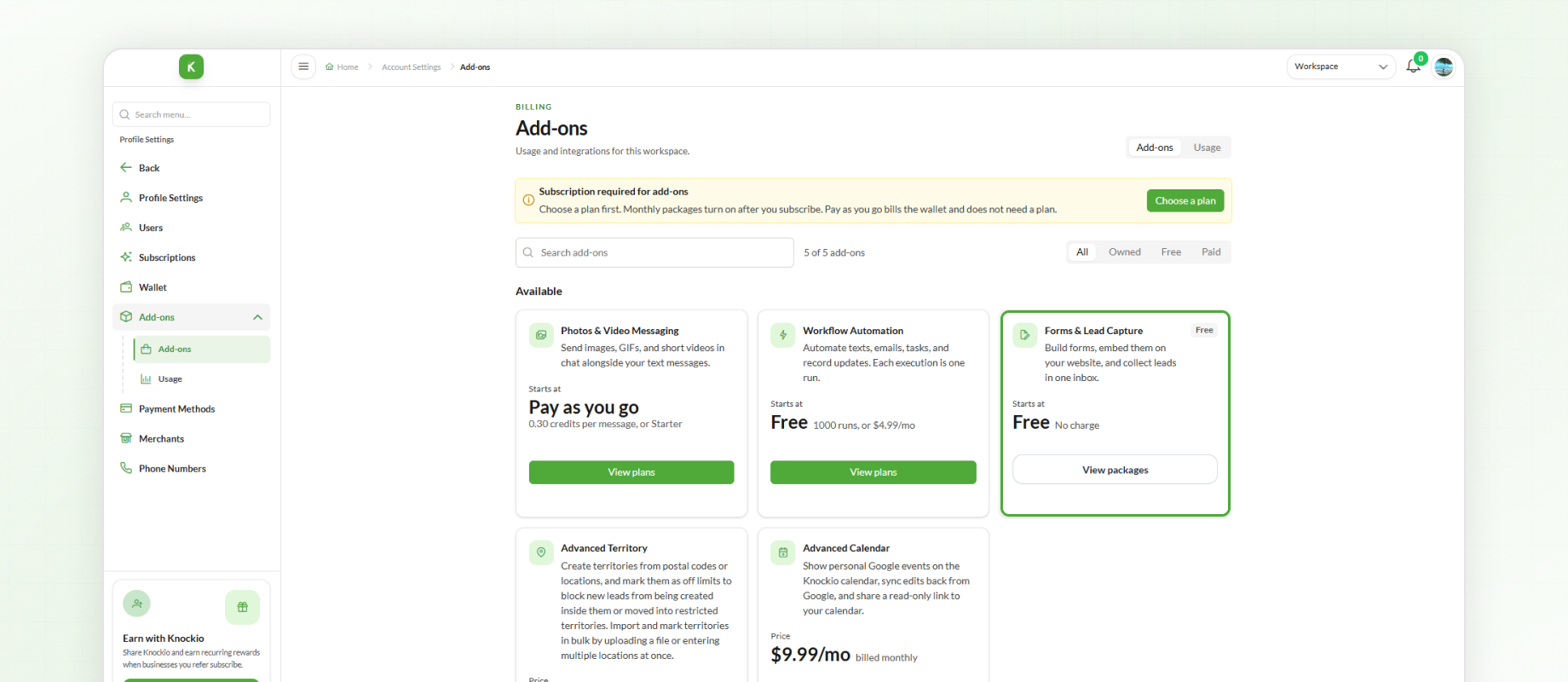
Let's say you run a commercial landscaping company. Your website form could ask prospective customers about their property size, the services they need, and their preferred start date. When a customer submits the form, your team can review those details in Knockio and decide on the next step.
You can design forms around your own requirements, giving potential customers a direct way to share information before your team gets in touch.
Find Leads by Their Source
When your sales pipeline includes leads from multiple sources, finding the right prospects can mean searching through a long list. Knockio now offers a Source filter in both Map View and List View, giving you a more direct way to narrow down your leads.
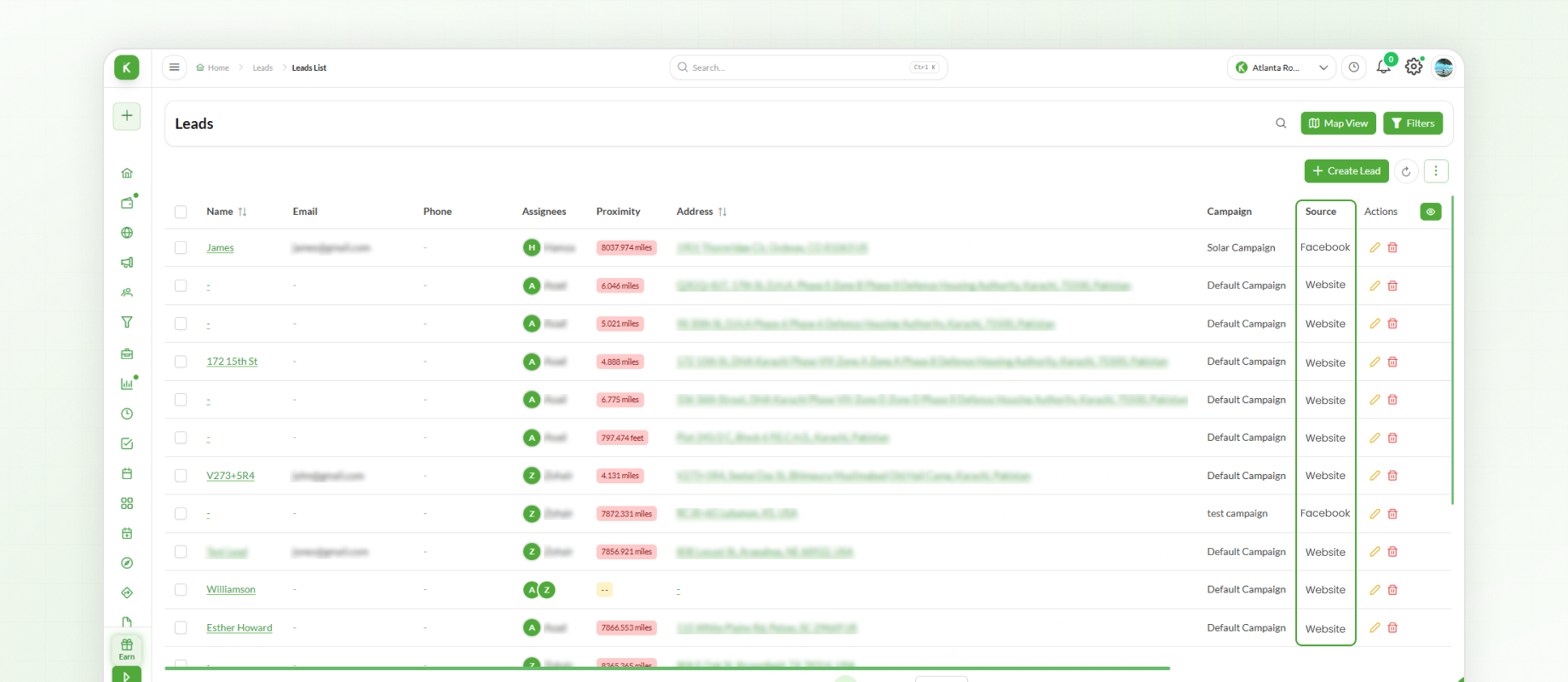
Consider a door to door sales company running campaigns across several territories. A manager can filter leads by source to review a particular group of prospects, then use Map View to see their locations. This can help the team prepare for territory visits and organize its outreach around the leads it wants to review.
Instead of working through the entire lead list, you can focus on the records that matter for the task at hand.
Read Weather Information More Clearly on the Map
Planning outdoor jobs often means keeping an eye on changing weather. Knockio has added a weather legend to Map View that explains the weather indicators displayed on the map, including rain and clouds.
For a solar installation business, weather information can be relevant when reviewing upcoming outdoor work. The legend helps users understand the displayed conditions more clearly while looking at job locations and planning field activities.
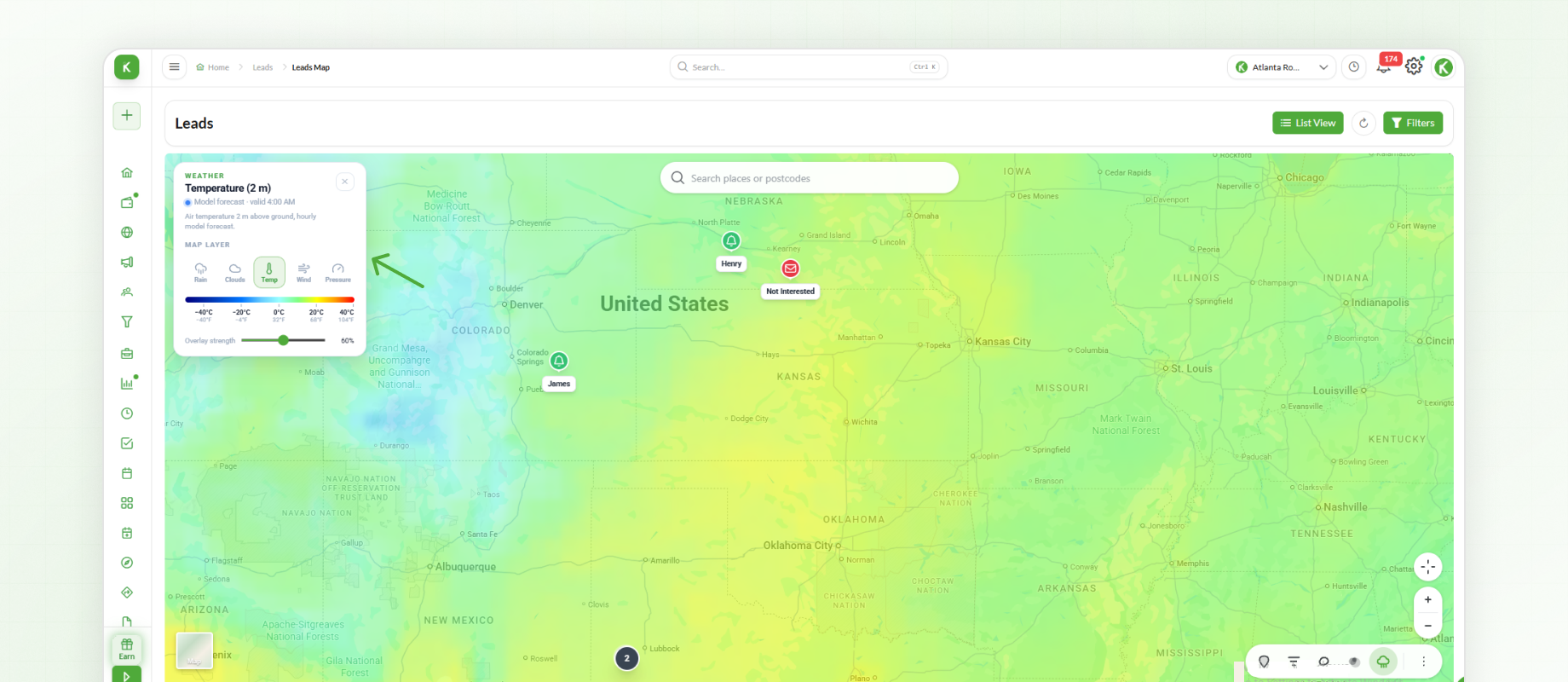
It is a small addition that makes the map's weather information easier to interpret when organizing work outside the office.
Turn Your Business Connections into Knockio Referrals
Your professional network can be a valuable source of recommendations. With our new Referral Program, you can share a personal referral link with people who may be interested in Knockio and track sign ups through your referral activity.
For example, a consultant who advises small service companies could share their link with business owners looking for field service management or sales tools. They can then review their referral activity to see which sign ups came through their invitations.
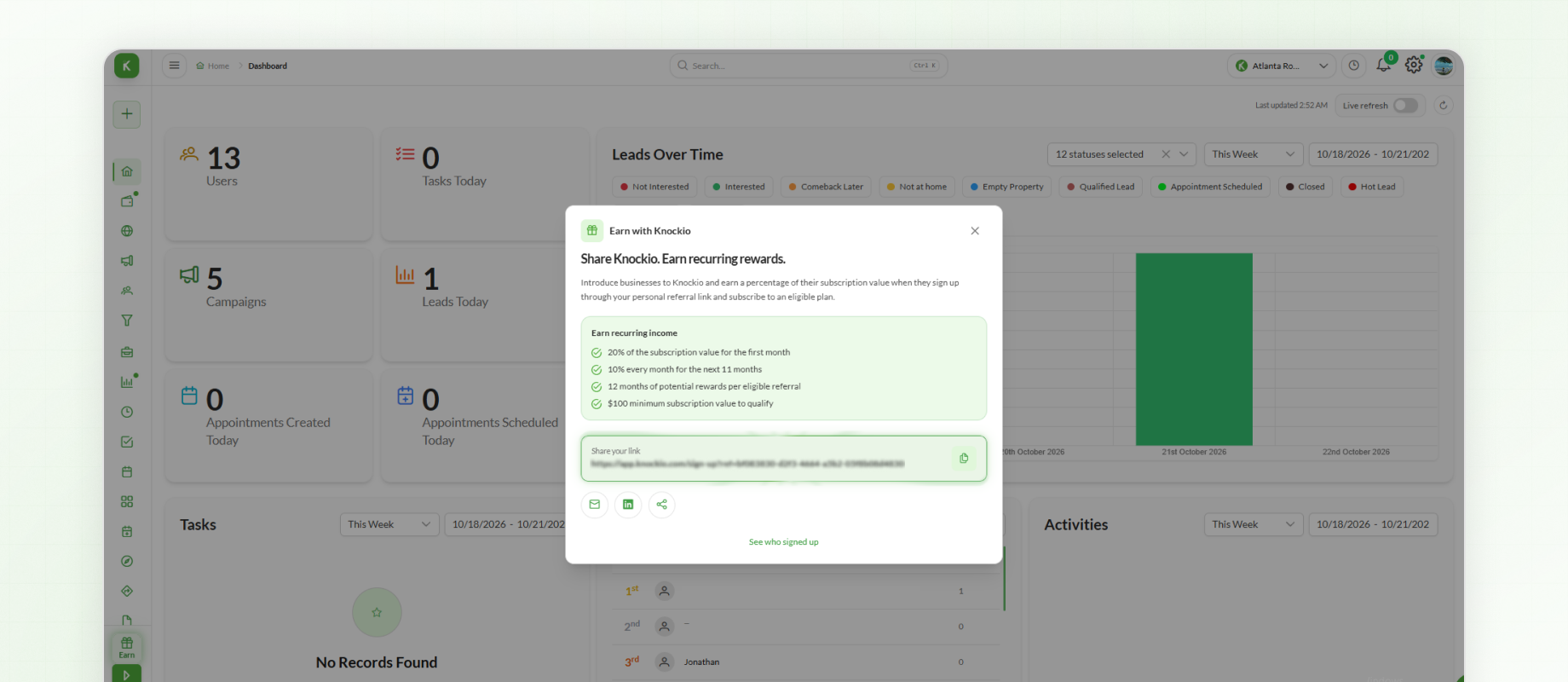
Whether you are connecting with industry peers or introducing Knockio to other business owners, the referral program gives you a clear way to share your link and monitor the resulting sign ups.
Identify Your Workspace Role at a Glance
A new badge in the top navigation bar shows whether you are the Owner or a Member of the workspace you’re working in. It’s a small detail that makes it easy to see your level of control at any moment.
In a growing company, this is especially useful. A regional sales manager who works across several shared workspaces can instantly tell which ones they manage and which ones they’ve been invited to join, avoiding changes made in the wrong place.
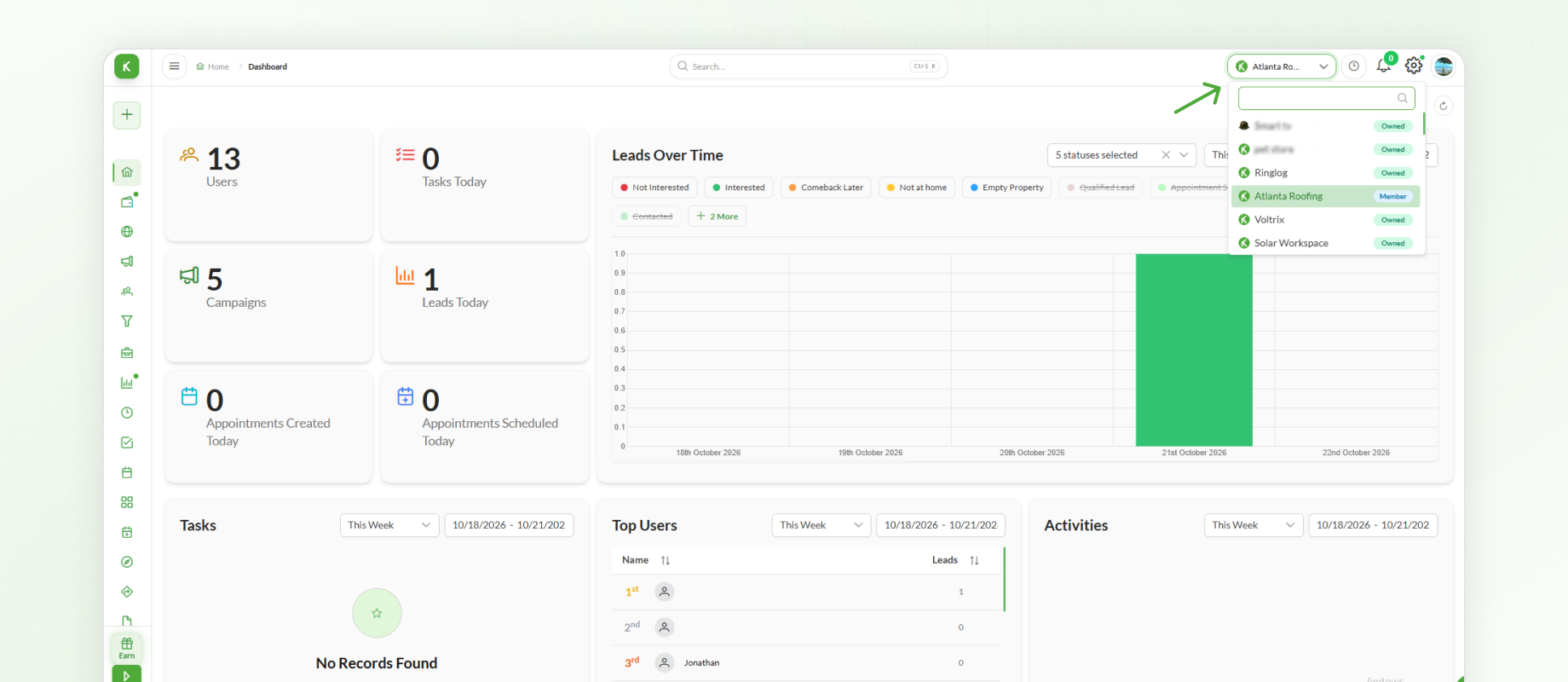
This makes workspace ownership status easier to identify while using Knockio.
Give Customers a Cleaner E Contract Experience
The experience customers have when opening a contract is part of the overall service you deliver. Knockio's latest e contract improvements create a cleaner public and mobile viewing experience by removing the support chat and main header from those views.
Spacing and layout issues have also been corrected, and an issue affecting the news pop up has been resolved.
A contractor sending a renovation agreement to a homeowner on their phone can now deliver a clean, distraction free page that feels professional from the first tap. Clients can review and sign without wondering where to click, which tends to speed up approvals.
Review Team Schedules by Role
As your team expands, reviewing everyone's activities together can make scheduling harder to manage. Knockio now lets admins filter the Calendar by role, so they can view schedules for users assigned to a particular role.
A property maintenance company, for example, may have inspectors, technicians, and office coordinators handling different responsibilities. An admin can filter the calendar to review the schedules of the technicians when coordinating upcoming service visits.
By focusing on users assigned to a specific role, admins can review the relevant schedules without having to go through the entire team's calendar.
Make More of Your Knockio Workflow
From capturing customer inquiries with custom forms to organizing leads and reviewing team schedules, the latest Knockio release gives you more ways to manage the work behind your sales and field service operations.
Log in to the Knockio web version to explore everything in this release. Some features depend on your subscription and permissions, so check your plan to see what’s included for you.