
Production Release Update
An overview of Knockio’s latest production updates, including new add-on capabilities and improvements to communication, invoicing, and platform consistency.
Table of Contents
Overview
We have deployed several updates to production, including the introduction of Plugins & Add-ons, improvements to conversations and phone number management, and fixes for e-contracts and date formatting.
This article provides an overview of the updates included in this production release.
1. Plugins and Add-ons
Plugins and add-ons are now active on the platform. Users with an active subscription can browse the available add-ons and subscribe to the plans that best suit their requirements.
Accessing Add-ons
To view available add-ons:
Open Profile Settings.
Select Add-ons from the left-hand navigation menu.
Browse the available add-ons.
Select the required add-on and subscribe to its plan.
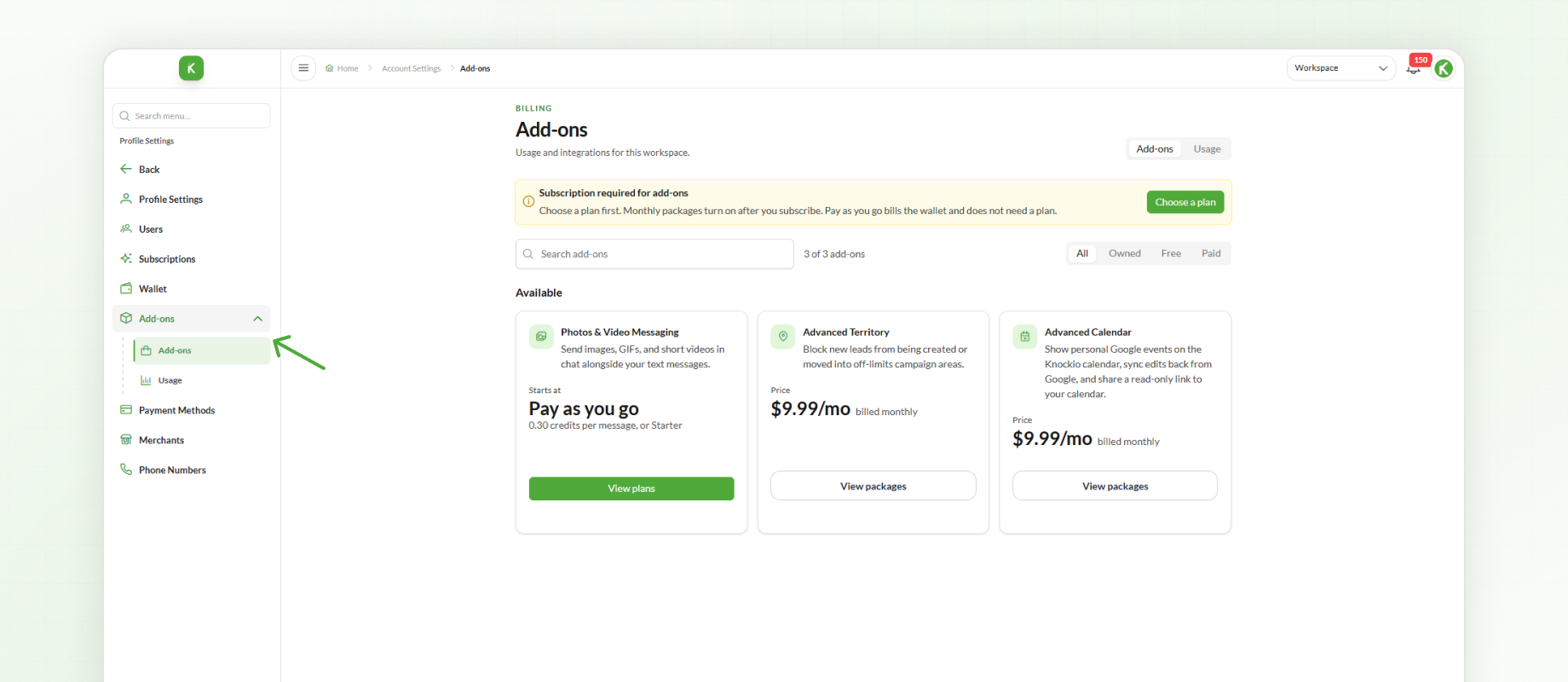
Users must have an active subscription to access and activate available add-ons.
MMS Plugin
MMS is now available as an add-on.
Users can activate MMS through the Add-ons section and select a pricing option based on their usage requirements.
Available options include:
Pay-as-you-go
MMS Plans
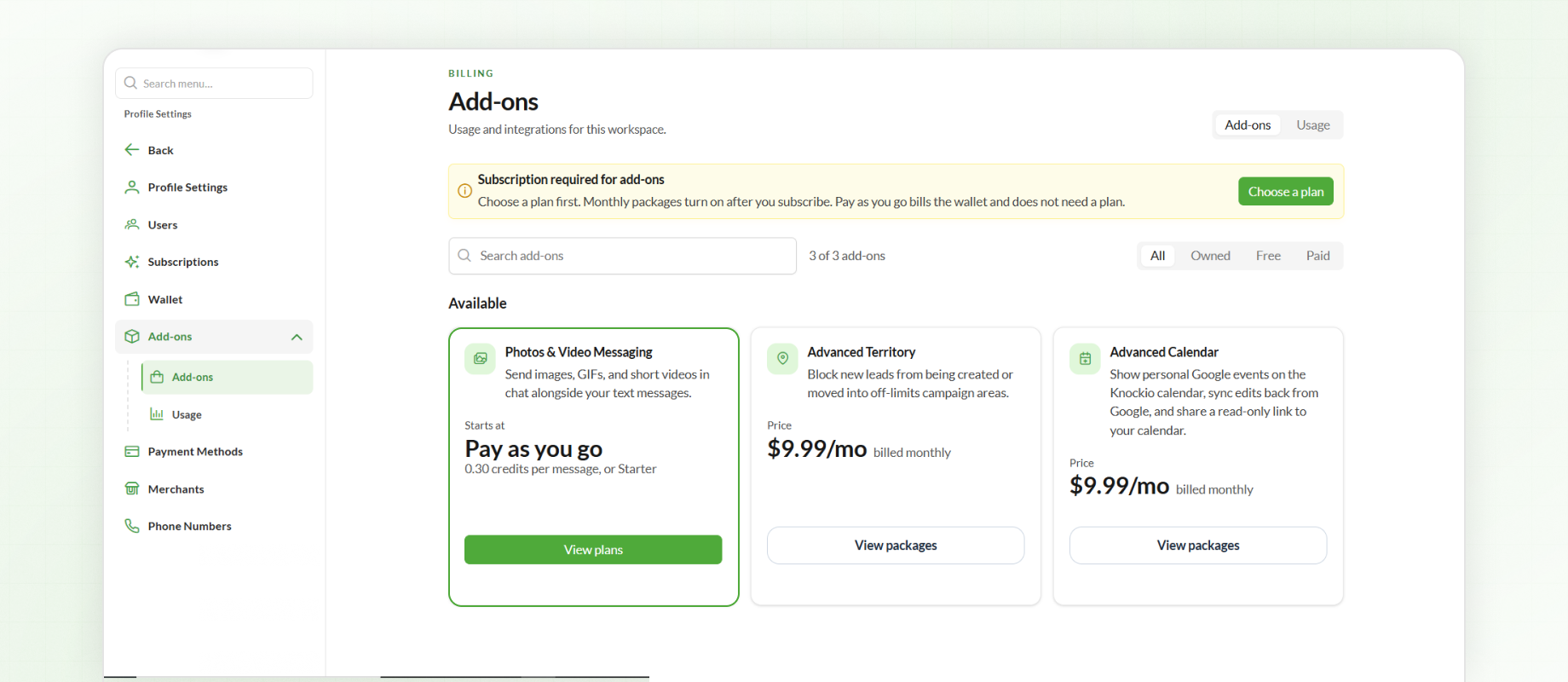
This gives users the flexibility to select the MMS pricing option that matches their messaging needs.
Restricted / Blocked Territories Plugin
A new Restricted / Blocked Territories plugin has been introduced to give admins greater control over the territories available to specific users.
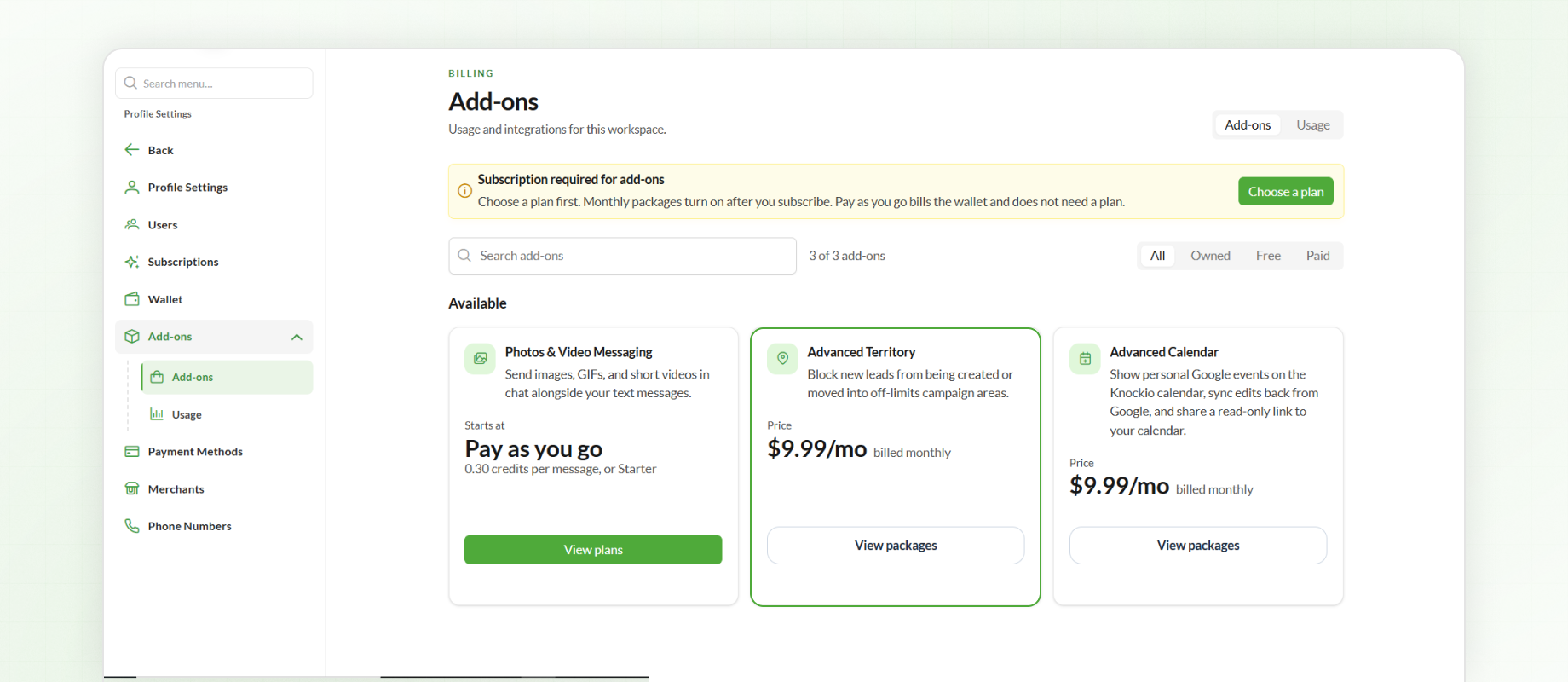
Admins can activate the add-on and mark specific territories as restricted or blocked for selected users.
When a territory is restricted for a user, that user will be unable to create new leads within the restricted territory.
Other Updates
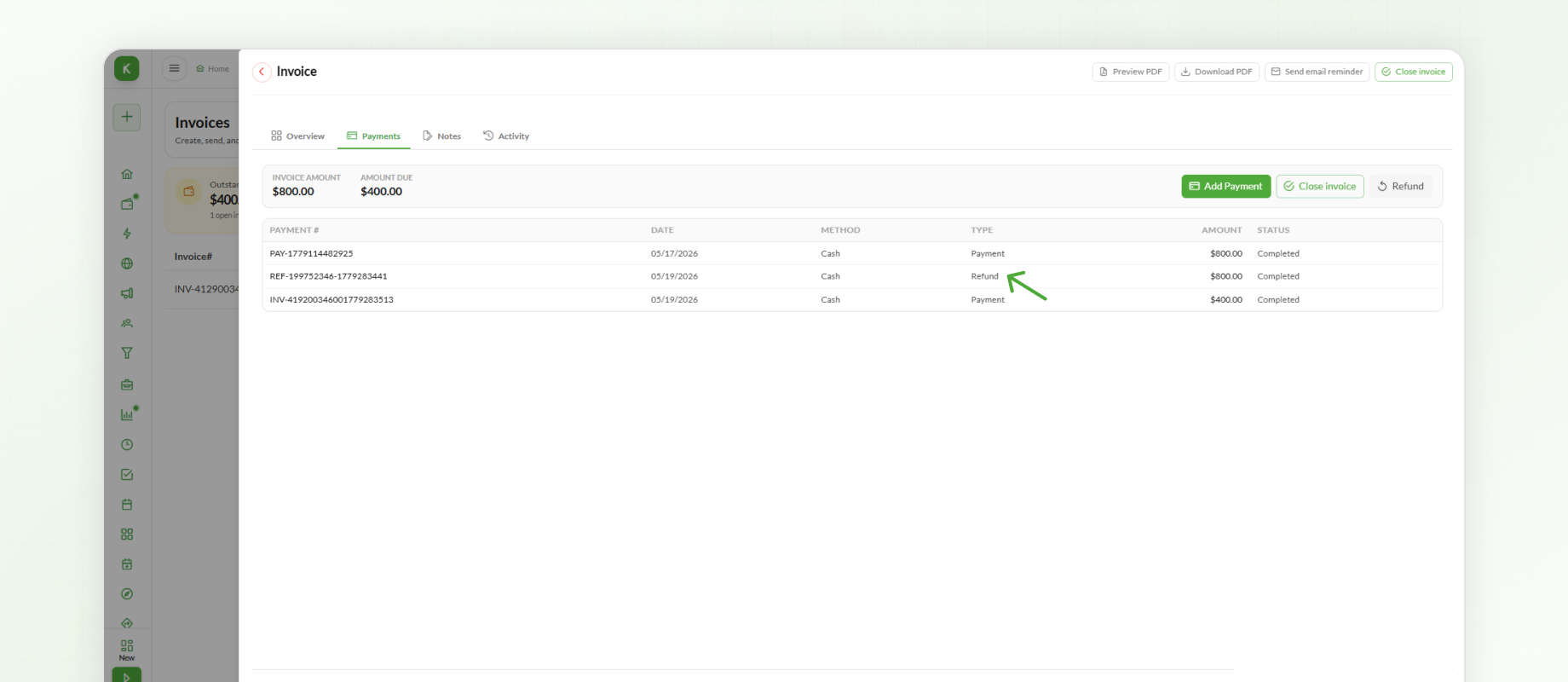
2. Refunded Amount on Invoice PDF
Refunded amounts are now displayed directly on the Invoice PDF.
This provides clearer financial information on invoices where a refund has been issued.
3. Conversation Visibility
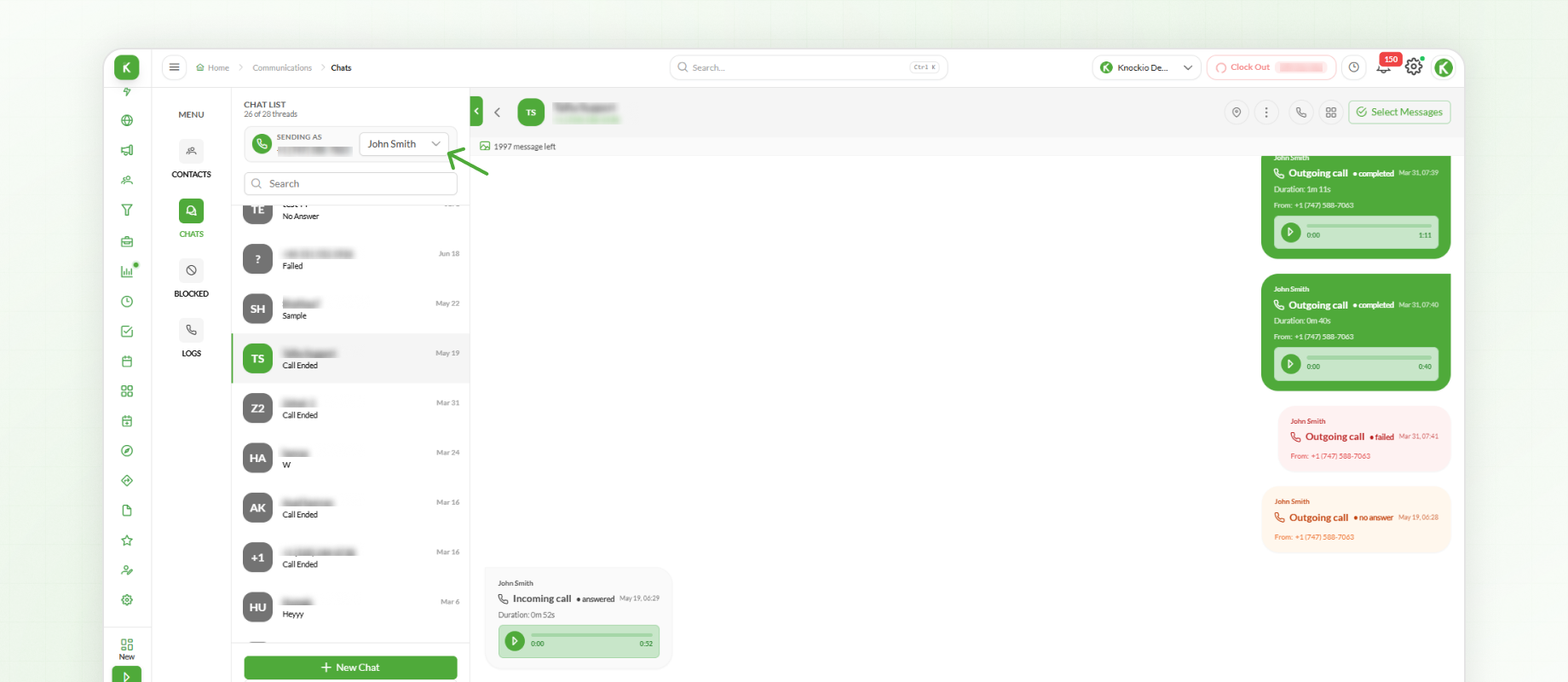
Conversation visibility has been updated for users with View All permission for conversations.
Users with this permission can now view all communication associated with a lead.
A new user filter has also been added at the top of the conversation section. This allows users to filter communication based on the user associated with the conversation.
4. Phone Number Filters
New filters have been added to the Phone Numbers section.
Users can now filter phone numbers by:
Assigned
Unassigned
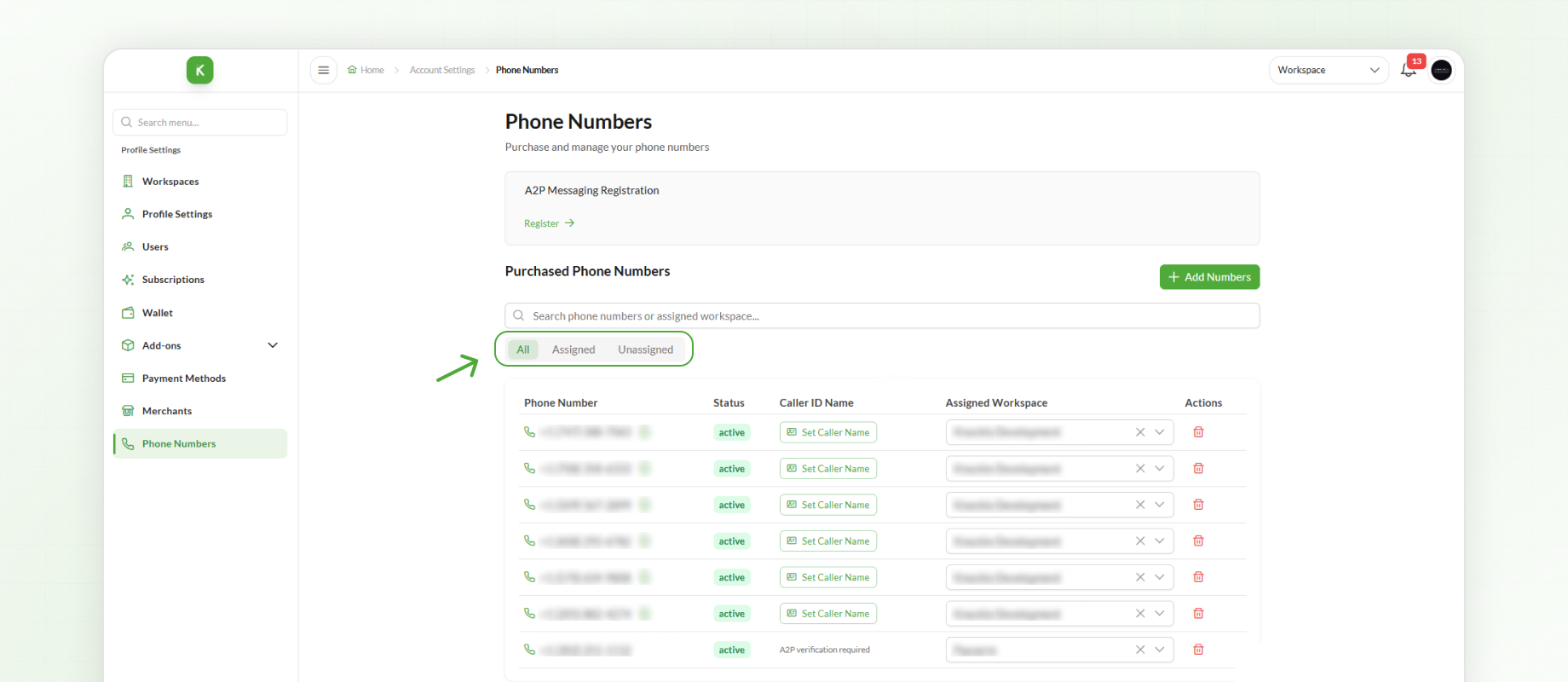
These filters make it easier to identify which phone numbers are currently assigned and which are available for assignment.
5. E-Contract Character Limit Fix
The character limit issue affecting e-contracts on the mobile app has been fixed.
Users can now enter e-contract content without encountering the previously reported character limit issue.
6. Date Format Standardization
Date formatting has been standardized throughout the application.
Dates are now consistently displayed using the US date format (MM/DD/YYYY) across the platform.
This update removes inconsistencies in how dates were previously displayed in different areas of the application.
Summary
This production release introduces new add-on capabilities, including MMS and Restricted / Blocked Territories, along with improvements to conversations, phone number filtering, invoice PDFs, and e-contracts.
Date formatting has also been standardized across the application to provide a consistent experience throughout the platform.